Precise print-ready digital barcode graphic files are necessary when printing packaging and labels from traditional printing processes. Unlike regular vector-based files (simple .eps), print-ready barcode files include Bar Width Adjustment, which is a necessary factor to compensate for print growth.
The most common import commands to use your digital barcode are listed below.
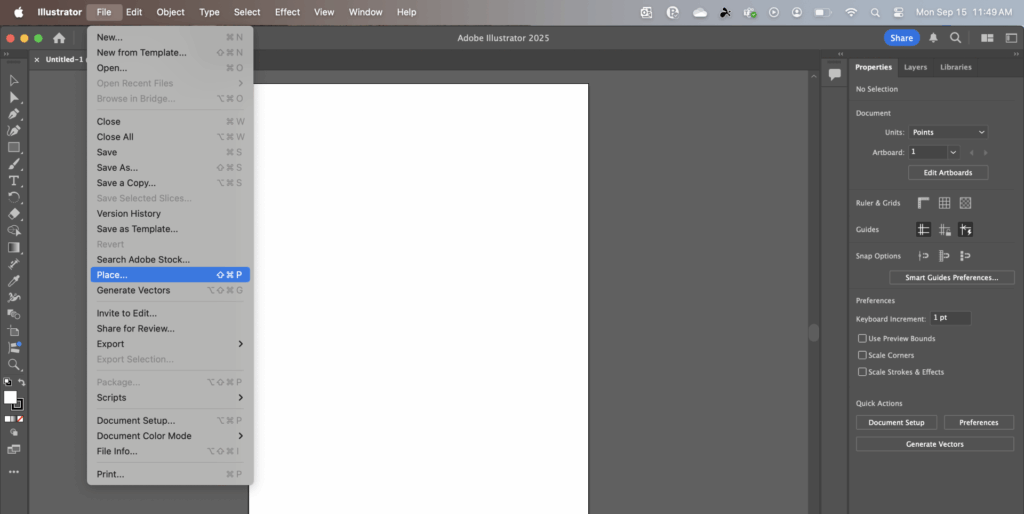
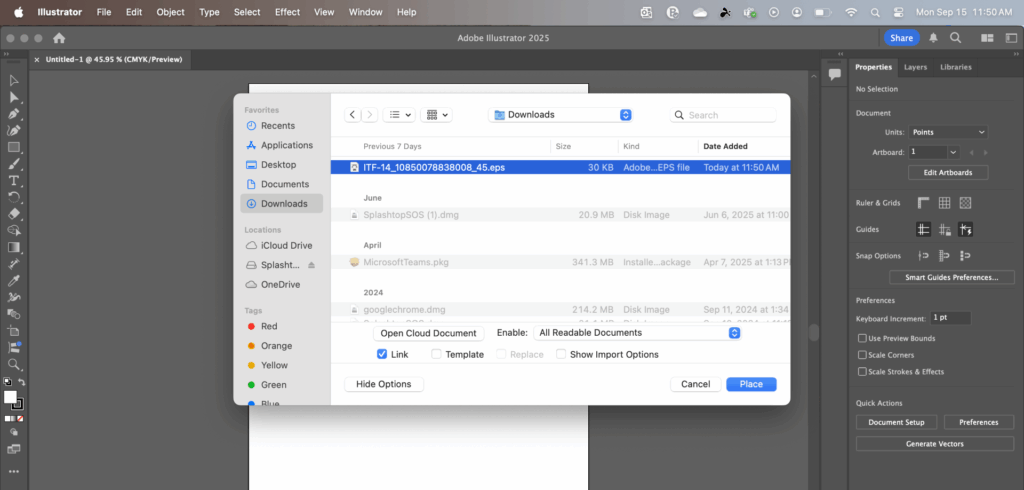
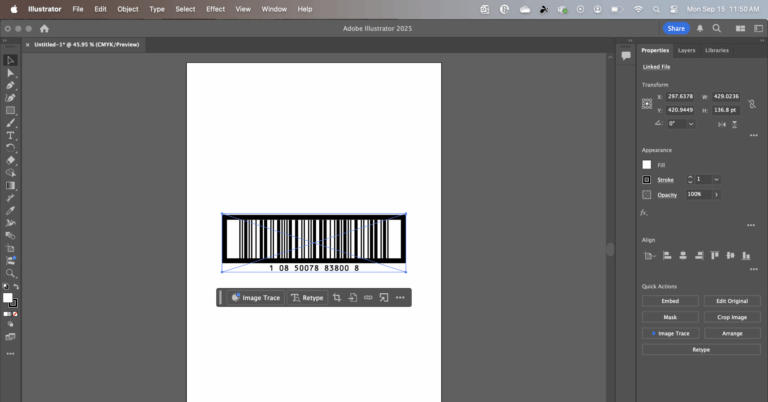
- Adobe Illustrator: File>Place – select your EPS file, click Place
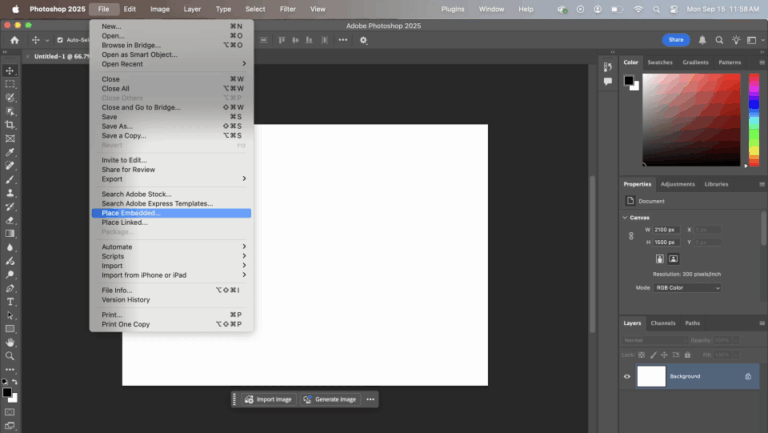
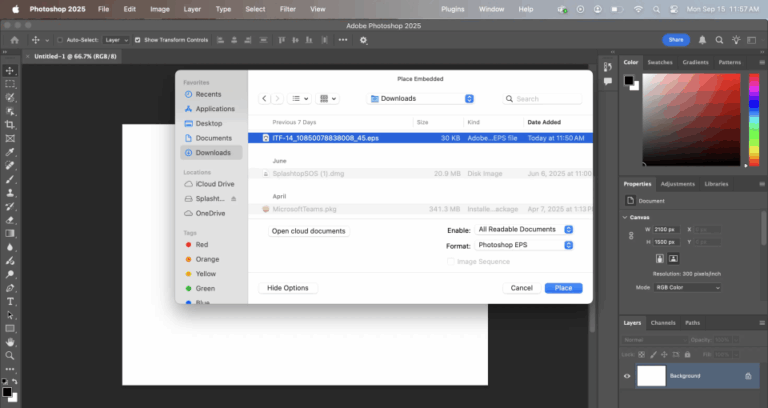
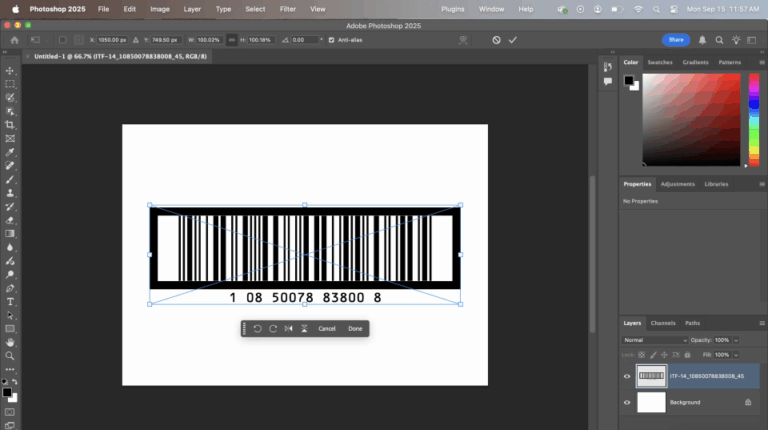
- Adobe Photoshop: File>Place – select your EPS file, click Place
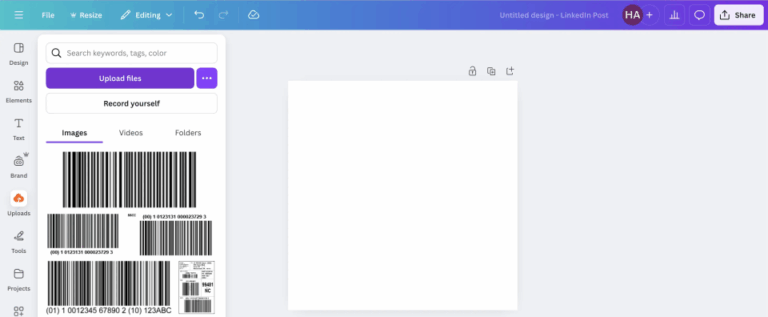
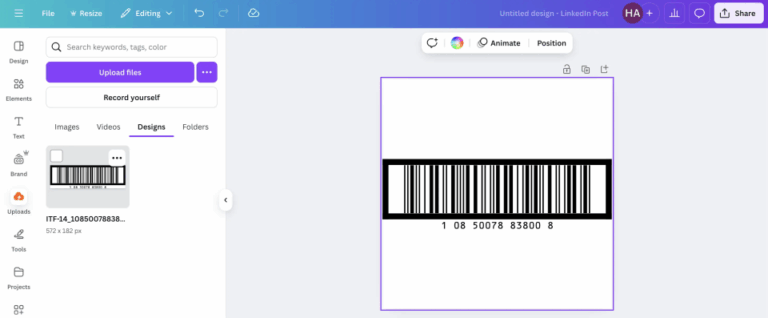
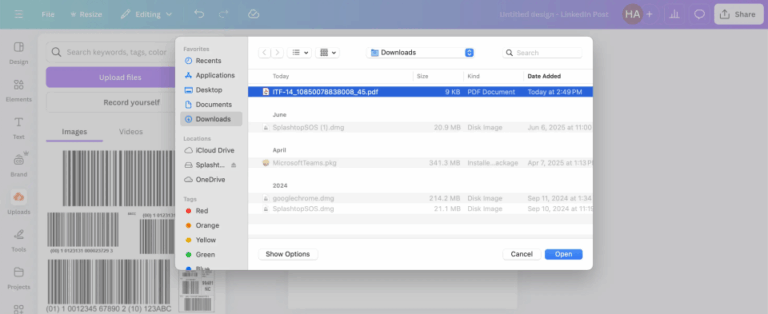
- Canva: Uploads > Upload Files – select your PDF file, click Open (Canva does not accept EPS or EMF file formats. A PDF format can be provided.)
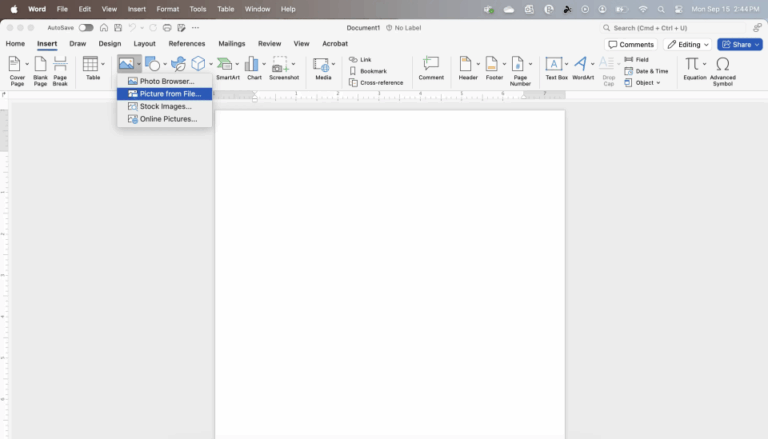
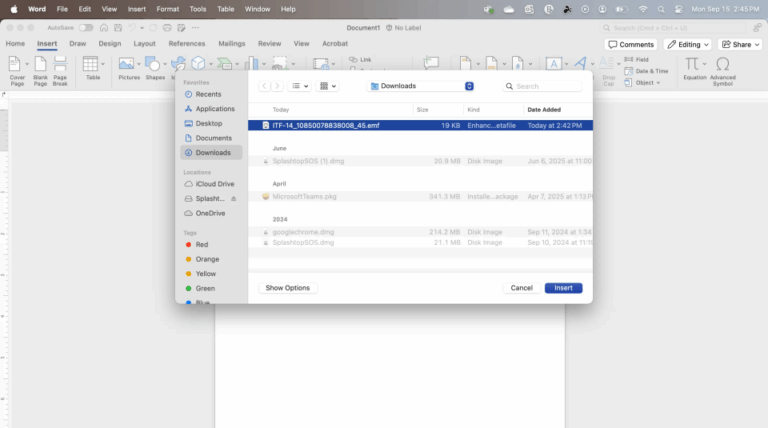
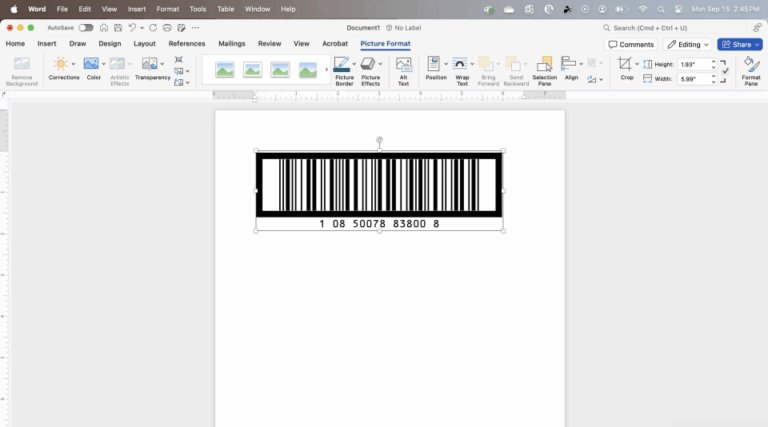
- Microsoft Office (Word, Excel, etc.): The eps files will not work in Microsoft office programs and they have their own format EMF. If you go to your order history you can download an EMF format of your barcode. Click Insert>Picture, From File – select your EMF file, click Insert.
Key points to remember when working with a barcode graphic file:
- Avoid using the OPEN command in ANY program. This will not retain the precision of the barcode file.
- Do not resize the image after importing it into the application. Doing so can compromise the scannability of the printed barcode.
- Avoid judging the barcode quality by the on-screen preview. Many applications do not provide an accurate preview of a barcode graphic file. The quality of the image should be determined by the actual printed sample.
Adobe Illustrator Sample Screen Shots
Adobe Photoshop Sample Screen Shots
Microsoft Word Sample Screen Shots
Canva Screen Shots